Import your drawing
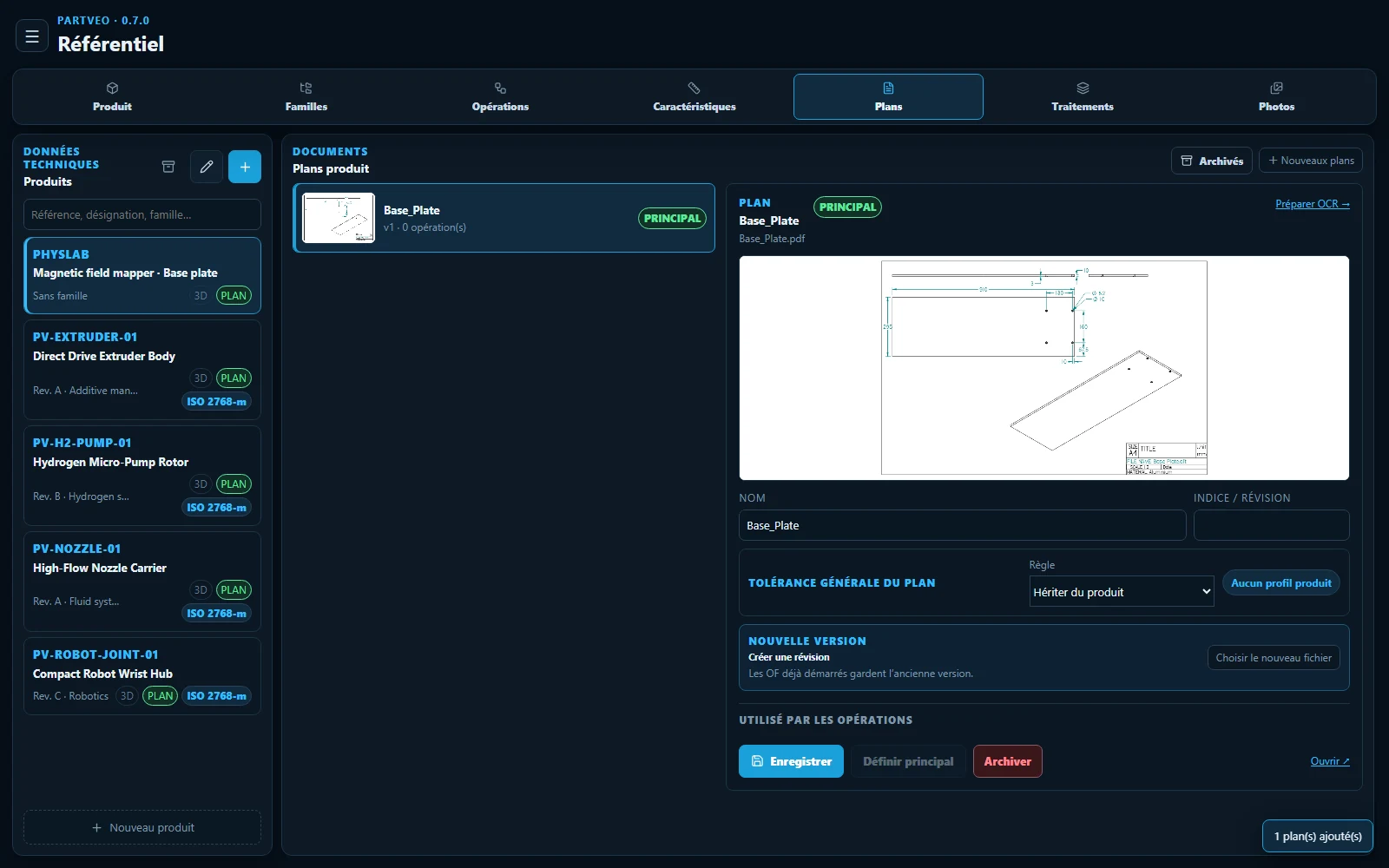
Add a PDF or image to the product. Select the plan and open it directly in OCR.
Prepare the characteristics with local OCR. Guide the operator with the drawing and STEP model. Keep every result attached to the production order.
Try preparation and inspection in your own temporary demo workspace. OCR is available in the local installation.
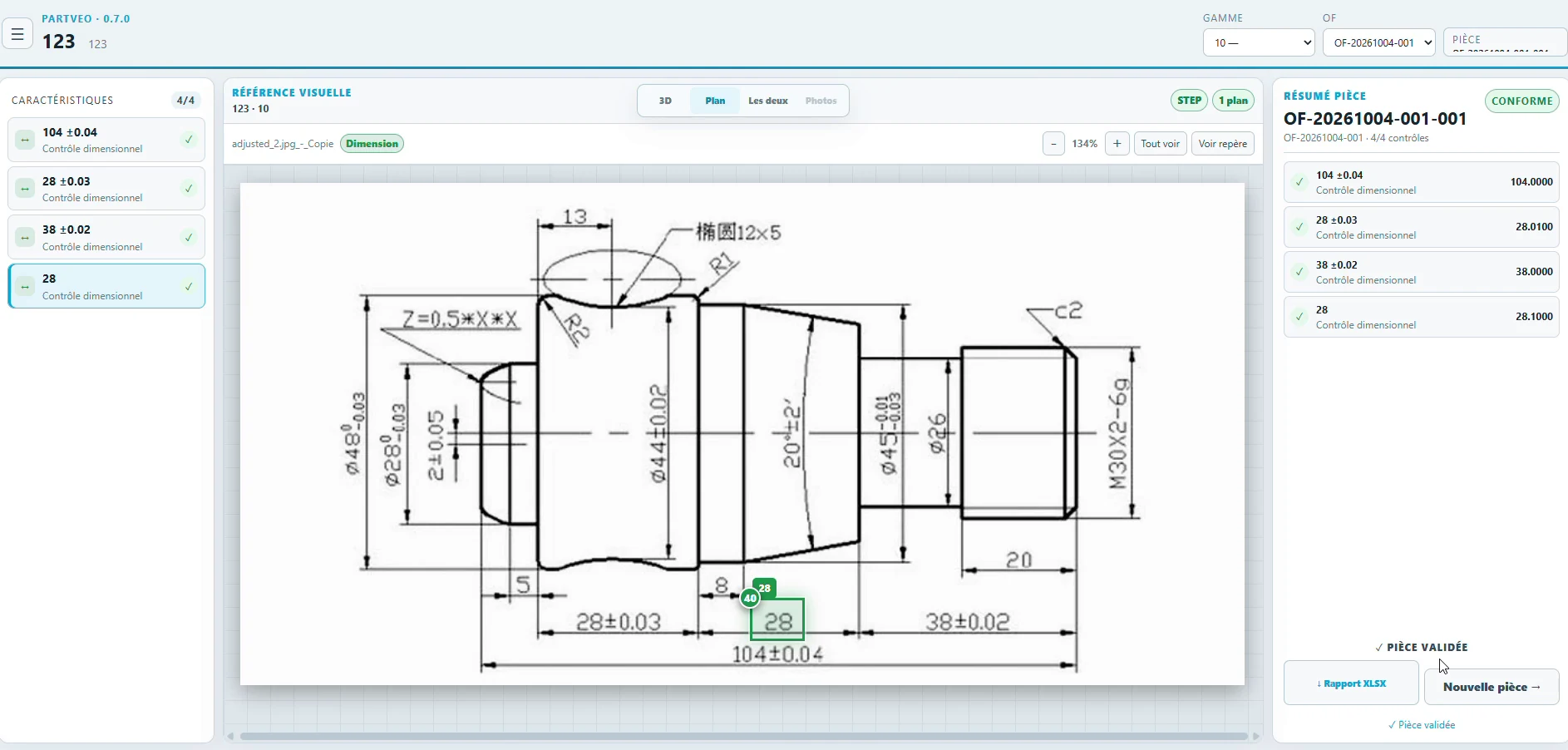
The actual screens, with a short explanation of what to do next.
Add a PDF or image to the product. Select the plan and open it directly in OCR.
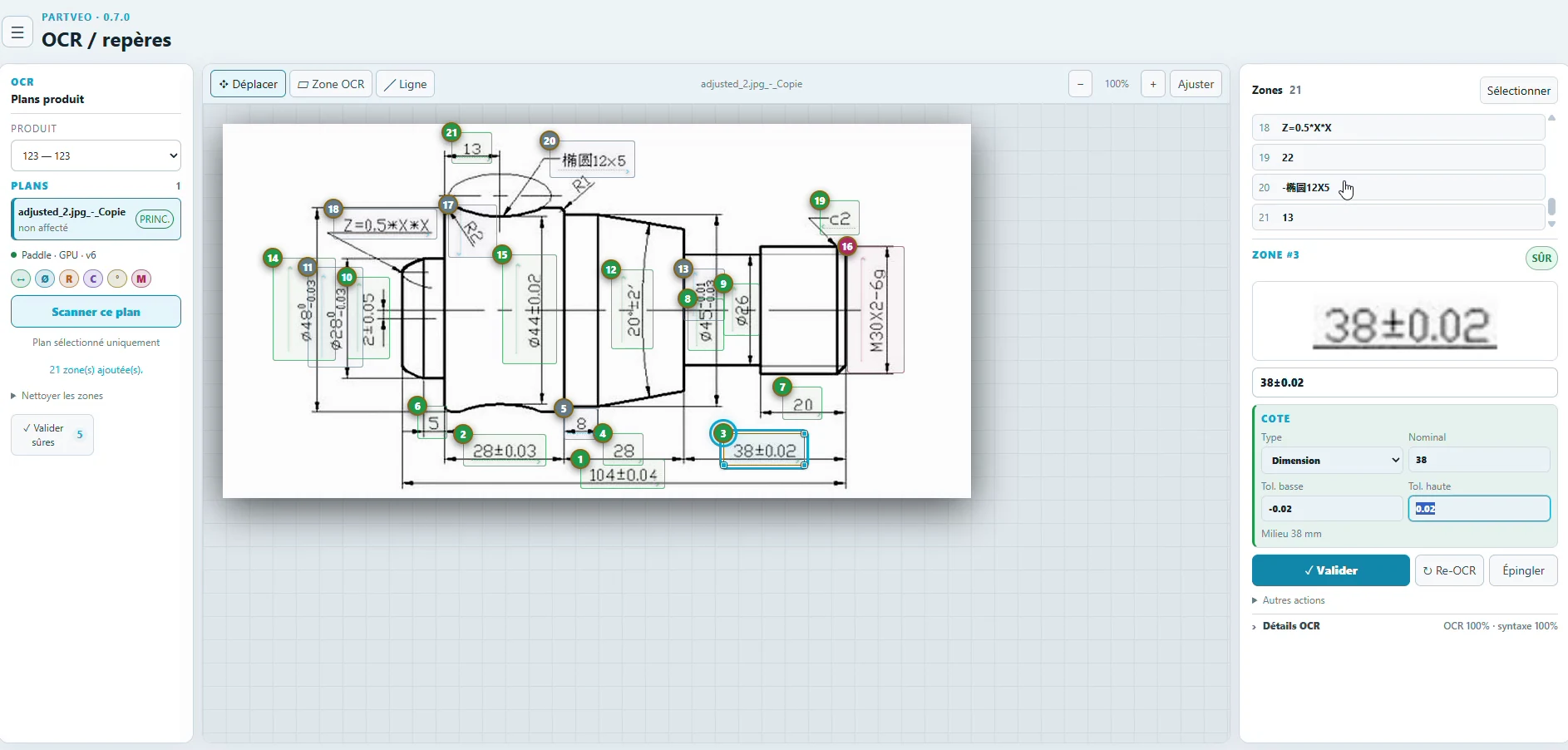
Check each nominal and tolerance against the drawing, then assign the validated characteristics to an operation.
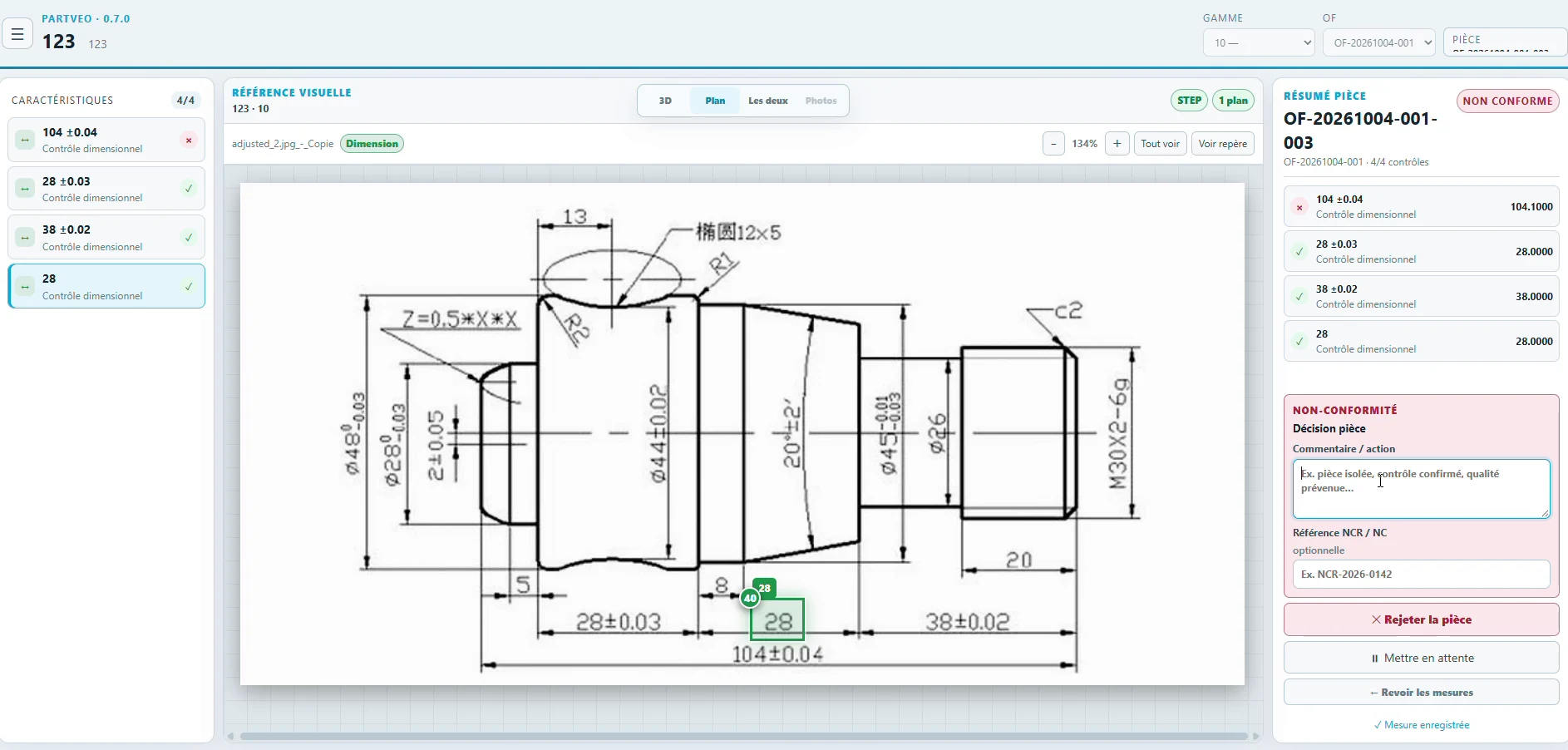
Record the measurements. Review the result, record a decision when needed and export the report.
PartVeo runs on the company network. Drawings, STEP files, OCR and production measurements can stay on your server. After installation and model downloads, normal control does not require an Internet connection.